Your Phone Isn’t Really “Yours” Anymore: The Hidden Rules of Parts Pairing and Repair Locks
Many phones block or warn about third‑party parts, even if you paid for them. Here’s what “parts pairing” means and how it affects real ownership.
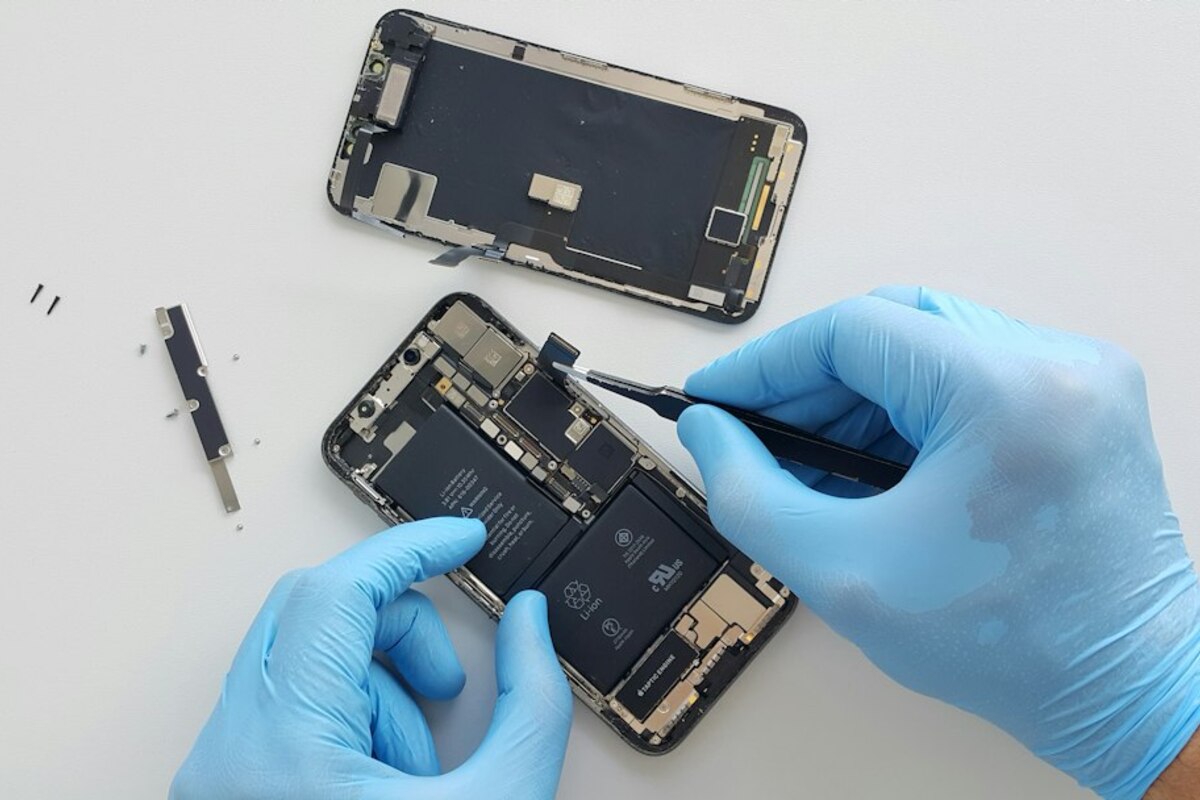
- “Parts pairing” can make a perfectly good replacement screen or battery act “unverified” or lose features.
- Ownership is shifting from “I can fix it” to “I can use it—if the maker allows it,” especially after repairs.
- You can protect yourself by choosing repair-friendly models, saving proof of purchase, and asking repair shops specific questions.
When you “own” a phone but it still says no
Picture a normal Tuesday: your phone slips out of your pocket, hits the sidewalk, and the screen cracks. You do what responsible owners do—you pay for a replacement screen. Maybe you go to a local repair shop, maybe you buy a part online, maybe your friend who fixes gadgets helps you out.
The phone turns on. The display looks fine. But then a message pops up: “Unable to verify this iPhone has a genuine display”… or your battery health feature disappears… or your camera starts acting strangely… or Face ID stops working after a tiny module change.
That moment is the modern ownership surprise: you can legally possess the device, but the device can still refuse to fully cooperate with hardware you also legally purchased. This is often caused by something called parts pairing (sometimes called serialization, component authentication, or repair locks).
Parts pairing is a design approach where a phone’s internal components—screen, battery, camera, fingerprint sensor, charging port, even small cables—are digitally “introduced” to the phone’s logic board. If the phone doesn’t recognize the replacement part’s identity, it may show warnings, disable features, or reduce performance. In other words: the phone doesn’t only care that the part fits; it cares whether the part is approved and matched.
This topic keeps showing up in right-to-repair discussions, consumer news, and everyday conversations because it changes what “ownership” feels like. For many people, ownership used to mean: if I pay for it, I can maintain it. Now, ownership can feel more like: I can use it, but I might need the manufacturer’s blessing to repair it fully.

What “parts pairing” is (explained like a key and a lock)
Think of your phone as a house with smart locks. The door (your phone) might accept a key (a replacement part) that physically fits—but the smart lock also checks a code in its app. If the code doesn’t match what it expects, the door still opens, but maybe it disables the alarm system, refuses to arm at night, or constantly sends you warnings.
That’s the basic idea behind parts pairing:
- Physical compatibility: the replacement part fits and works at a basic level.
- Digital compatibility: the phone’s software checks whether the part’s ID matches what it expects.
Manufacturers often argue parts pairing helps with:
- Security (blocking tampered biometric sensors, preventing malicious hardware mods)
- Safety (reducing battery fire risk from poor-quality cells)
- Quality control (ensuring calibration for cameras and displays)
Consumers and independent repair advocates often respond: sure, safety matters—but pairing can also be used in ways that steer repairs toward authorized channels, raise costs, and reduce competition, even when third‑party parts are high quality.
The practical result is what owners see: warnings, missing features, or “degraded” experiences after an otherwise solid repair.
Here’s how it can show up in real life:
| Repair situation | What the owner expects | What can happen with parts pairing |
|---|---|---|
| Screen replacement | New screen works normally | “Non-genuine display” warning; True Tone/brightness behavior changes; logging in settings |
| Battery replacement | Better battery life + battery health info | Battery health disappears; warning message; performance management behavior changes |
| Camera module swap | Camera works the same | Focus issues; stabilization problems; features disabled unless calibrated |
| Biometric sensor repair | Fingerprint/Face unlock continues | Biometrics disabled if the paired sensor doesn’t match (security-related) |
| Charging port replacement | Charging returns to normal | Accessory warnings; inconsistent charging; water-resistance messages or diagnostics flags |
Not every phone does all of these things, and the severity varies by brand and model. But the trend is clear: more devices now treat hardware as software-managed identity objects, not just replaceable physical pieces.
Why this changes the meaning of “ownership” (and why it matters beyond tech people)
It’s easy to shrug and say, “Just use the official repair service.” But this isn’t only a gadget hobby issue. It hits everyday life in a few very normal ways.
1) The “I paid for it twice” feeling
Ownership usually comes with a simple expectation: if you buy a thing, you can keep it running. With parts pairing, an owner can pay for a replacement part and still be told—by their own device—that the repair is somehow not legitimate. The frustration isn’t only technical; it’s emotional. People feel like the phone is questioning their right to maintain their own property.
2) Price and time pressure
Authorized repairs can be more expensive and slower, especially if you’re traveling, living far from a service center, or you need your phone working today for work, school, delivery driving, childcare, or two-factor login.
A phone that penalizes independent repairs can push owners into fewer options. In ownership terms, fewer options means less control.
3) Second-hand ownership gets trickier
Used phones are a huge part of everyday life—students, budget buyers, families handing down devices. Parts pairing adds a new layer of “hidden history.” A used phone might be working fine, but show warnings about replaced parts. That can affect:
- Resale value (buyers get cautious)
- Trust (people worry about stolen parts or bad repairs)
- Functionality (features may be missing without obvious explanation)
It’s like buying a used car and discovering the dashboard permanently displays: “Unverified tires installed,” even if they’re great tires from a reputable brand.
4) E-waste and environmental impact
If a device is harder to repair, more people replace it sooner. Even if only a small percentage of repairs become “not worth it,” that’s still a lot of additional waste at population scale. Ownership isn’t just personal—it affects what we throw away.
5) The new role of software in physical property
Historically, software controlled what a device could do. Now software also controls what counts as an acceptable physical component. That’s a big philosophical shift that shows up in very practical moments—like the day your battery gets replaced and the phone starts acting like it has something to complain about.
How to protect yourself (without becoming a repair expert)
You don’t need to learn soldering or read repair forums for hours. A few simple habits can give you more control and fewer surprises.
Ask repair shops these three questions
- “Will the phone show a warning after this repair?” A good shop will tell you upfront if a message is expected.
- “Will any features stop working (battery health, True Tone, Face ID, etc.)?” Get specifics, not general reassurance.
- “Do you do software calibration or pairing steps if the device requires it?” Some repairs need calibration tools; not all shops have access.
Keep your receipts and take quick ‘before’ photos
This is boring—but useful. Before repair, take screenshots/photos of:
- Battery health (if your phone shows it)
- Face/fingerprint unlock working
- Camera focusing normally
If something changes afterward, you can explain clearly what changed and when.
Consider repairability when choosing a phone
People compare camera quality and storage size, but repairability can matter just as much over a phone’s lifetime. If you tend to keep phones for 3–6 years, a model with easier battery and screen replacement can save money and stress.
Even if you never plan to repair it yourself, repair-friendly design usually means more shops can help, and parts availability is better.
Be careful with “too cheap to be true” parts
Parts pairing is one issue; low-quality parts are another. A cheap battery can actually be dangerous. If you’re going third-party, choose reputable sellers and repair shops that offer a meaningful warranty.
Know what warnings really mean (and what they don’t)
A warning like “non-genuine part” can mean several things:
- The part is truly counterfeit or low quality.
- The part is fine, but not digitally recognized by the phone.
- The part is original, but was moved from another device and needs pairing/calibration to be fully recognized.
The warning is not always a perfect truth detector. It’s the phone reporting: “This isn’t the exact identity I expected.” That might correlate with risk, but it can also reflect policy and ecosystem control.
It’s a useful comparison. DRM limits how you use digital media; parts pairing can limit how you use physical replacement components. In both cases, software enforces rules after purchase.
It’s a useful comparison. DRM limits how you use digital media; parts pairing can limit how you use physical replacement components. In both cases, software enforces rules after purchase.
No. Many repairs still work, but you may see warnings or lose certain features. Some devices allow calibration through official programs, some don’t. The experience ranges from “minor annoyance” to “major feature loss,” depending on the part and model.
No. Many repairs still work, but you may see warnings or lose certain features. Some devices allow calibration through official programs, some don’t. The experience ranges from “minor annoyance” to “major feature loss,” depending on the part and model.
Companies often point to safety (battery quality varies a lot) and user experience (performance tuning and accurate health reporting). Critics argue that even if safety is real, the same systems can also reduce consumer choice and increase dependence on authorized repair channels.
Companies often point to safety (battery quality varies a lot) and user experience (performance tuning and accurate health reporting). Critics argue that even if safety is real, the same systems can also reduce consumer choice and increase dependence on authorized repair channels.
The big, everyday takeaway is simple: phones are becoming less like bicycles (any competent shop can fix them with standard parts) and more like modern cars with computerized modules that need “handshakes” after replacement. That shift may be convenient when everything goes right—but it becomes very noticeable the first time you try to repair something you thought you fully owned.