QR Code Menus vs Paper Menus: Which One Makes Dining Easier (and Which One Backfires)?
QR menus can be fast and flexible, but they also fail in low-signal rooms and frustrate some guests. Here’s what really changes at the table.
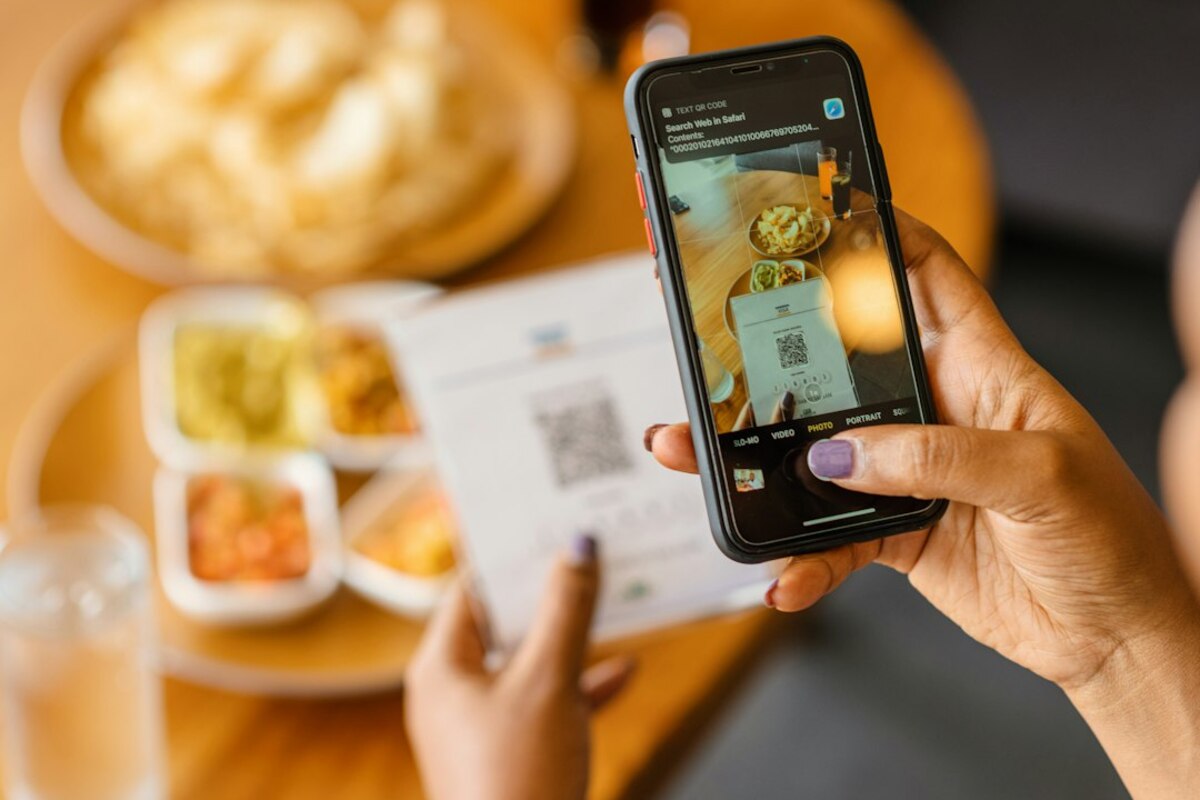
- QR menus shine when you want quick updates, photos, and multiple languages—but they depend on phones, battery, and signal.
- Paper menus feel effortless and inclusive, yet they’re harder to update and can limit detail or seasonal changes.
- The best experience often mixes both: a QR option for speed plus a few paper menus for accessibility and comfort.
What you’re really choosing: a “menu” or a whole mini-system
On the surface, a menu is just a list of food and prices. In reality, it’s a small system that controls how you order, how long you wait, and even how comfortable you feel sitting down. That’s why the switch from paper menus to QR code menus has become such a noticeable (and surprisingly emotional) change in everyday life.
A paper menu is a physical object: you pick it up, scan it with your eyes, and you’re done. A QR code menu is more like a doorway: you need a phone, a camera app, a web page that loads, and a screen you can read. When everything works, it feels modern and efficient. When one piece fails, it can feel like the restaurant put a tiny obstacle course between you and dinner.
Imagine two quick scenarios:
- Scenario A (QR wins): You sit down at a busy café, scan the code, instantly see photos, tap “allergens,” and order without flagging anyone down. Your food arrives faster because the staff isn’t juggling menu printing or taking every order by hand.
- Scenario B (paper wins): You’re in a cozy basement ramen shop with weak reception. Your phone is at 8%. The QR page loads slowly, the text is tiny, and you’re pinching and zooming like you’re reading a contract. A simple paper menu would have been effortless.
Neither approach is automatically “better.” They succeed and fail in different ways—and those differences show up immediately in real dining moments.

Speed, comfort, and accessibility: where each option helps (or hurts)
Restaurants often adopt QR menus for flexibility and cost. Guests often judge them by one thing: how easy it feels right now. That gap—business efficiency vs guest comfort—is where most of the debate lives.
Where QR code menus feel great
When the system is designed well, QR menus can remove friction:
- Always up to date: A kitchen runs out of an ingredient? The item can be hidden instantly, instead of the server apologizing four times that night.
- More detail without clutter: Paper menus get crowded fast. Digital menus can tuck details behind taps: spice level, ingredients, origin, or suggested pairings.
- Language options: In tourist areas, being able to switch languages is a genuine improvement—not a gimmick.
- Quick re-ordering: In some places, you can order another drink without waiting for someone to pass by.
It’s like the difference between a printed map and GPS. The printed map is reliable and calm. The GPS can route around a closure in real time. That real-time adaptability is what QR menus are trying to bring to food.
Where QR code menus backfire
The most common complaints aren’t about technology in general—they’re about context. People don’t want a “tech task” injected into a relaxing moment.
- Signal and Wi‑Fi dependence: If the menu is a web page and the room is a signal dead zone, you’ve introduced delay right at the start.
- Battery and device limitations: Not everyone has a phone ready to scan, enough battery, or a comfortable screen size for reading.
- Small text and poor design: Some digital menus look like spreadsheets. If it’s hard to scroll or filters don’t work, paper would have been faster.
- Group dynamics: One person ends up “hosting” the menu on their phone while others lean in awkwardly—or everyone stares at their own screens.
- Privacy and tracking concerns: A simple menu shouldn’t feel like you’re being funneled into an email list or analytics ecosystem.
Paper menus, for all their old-school charm, rarely fail at the moment you need them. They don’t need updates, logins, or a compatible device. You can glance, compare, and decide with almost zero mental effort.
Accessibility is where the difference becomes personal
This is often the deciding factor. A paper menu can be limiting if the font is small or the lighting is dim. But QR menus can also create barriers: older guests, people with limited mobile data, those with visual fatigue, or anyone who simply doesn’t want to use a phone at dinner.
A genuinely thoughtful setup recognizes that “easy for most people” isn’t the same as “easy for everyone.” The simplest fix is also the most effective: keep a few paper menus available without making guests feel like they’re asking for special treatment.
| Situation | QR code menu tends to be better | Paper menu tends to be better |
|---|---|---|
| Frequent menu changes (seasonal items, shortages) | Instant edits, no reprinting | Reprints are slower and cost money |
| Low reception / no Wi‑Fi | Only if menu loads offline or fast | Works immediately |
| Large groups sharing choices | Good if everyone has access and UI is clear | Easy to pass around, point at items |
| Accessibility needs (readability, comfort) | Can zoom and use screen readers (if built well) | Can be easier for non-phone users; bigger print helps |
| Hygiene and wear | No shared physical menu handling | Needs cleaning/replacing over time |
Hidden trade-offs: ordering flow, upsells, and the “vibe” of the meal
Menus don’t just inform you—they shape what you buy and how you feel. QR vs paper affects more than convenience; it changes the rhythm of the meal.
Ordering flow: who controls the pace?
With paper menus, the pace is usually human-led. You read, you decide, you signal the server, you order. QR systems can shift that control toward the guest—or toward the restaurant—depending on how they’re implemented.
- QR menu only (no ordering): You still need a server, but now you’ve added a scanning step.
- QR menu + pay-at-table: This can be genuinely convenient, especially when splitting bills. It can also feel abrupt if you’re used to a slower, more social checkout process.
- QR ordering (no server interaction): Efficient in busy venues, but it can feel transactional—great for lunch, less great for a date night where hospitality matters.
Think of it like self-checkout at a grocery store. Sometimes it’s faster and you love it. Sometimes you wish a person would just handle it so you can stop thinking about “process.”
Upsells: subtle suggestions vs aggressive pop-ups
Paper menus can upsell too (photos, callout boxes, “chef’s special”), but they’re physically limited. Digital menus can be more dynamic:
- “Add fries for $2?” prompts
- Featured items pinned to the top
- Limited-time banners
- Suggested pairings after you select an item
When done gently, suggestions are helpful: “This dish is spicy; a yogurt drink pairs well.” When done poorly, it feels like you’re navigating a shopping cart instead of ordering dinner.
The vibe factor: what it feels like at the table
Restaurants are not just selling food. They’re selling an experience: cozy, lively, upscale, casual, quick, celebratory. Paper menus often match environments where atmosphere matters—dim lighting, candles, slow pacing, conversation.
QR menus can fit perfectly in fast-casual spots, food halls, breweries, and high-volume places where speed is part of the promise. In other settings, they can unintentionally shift attention away from the people at the table and toward screens—especially when everyone is zooming in, scrolling, and comparing options silently.
They reduce shared touchpoints (no one passes the same menu around), but your phone isn’t automatically “clean.” The practical hygiene win is mostly about reducing heavily handled items that are hard to sanitize between every table.
They reduce shared touchpoints (no one passes the same menu around), but your phone isn’t automatically “clean.” The practical hygiene win is mostly about reducing heavily handled items that are hard to sanitize between every table.
Common causes: the menu is a heavy web page, it’s hosted on a slow system, your reception is weak, or the design wasn’t built for mobile reading (tiny text, awkward scrolling, too many clicks).
Common causes: the menu is a heavy web page, it’s hosted on a slow system, your reception is weak, or the design wasn’t built for mobile reading (tiny text, awkward scrolling, too many clicks).
Offer a QR menu for guests who like it, and keep a small stack of clean, readable paper menus available by default (not hidden behind an awkward request). The experience improves instantly for mixed groups.
Offer a QR menu for guests who like it, and keep a small stack of clean, readable paper menus available by default (not hidden behind an awkward request). The experience improves instantly for mixed groups.
If you’re a guest, a quick rule of thumb is: QR menus are at their best when they remove waiting (fast access, quick reorders, easy bill splitting). Paper menus are at their best when they remove effort (no scanning, no scrolling, no “tech moment”). Once you notice that difference, you can predict which style will feel smoother before you even sit down.