E-SIM vs Physical SIM: What Changes When Your “SIM Card” Isn’t a Card?
Switching phones, traveling, or adding a second number? Here’s what really differs between eSIM and physical SIM—without the jargon.
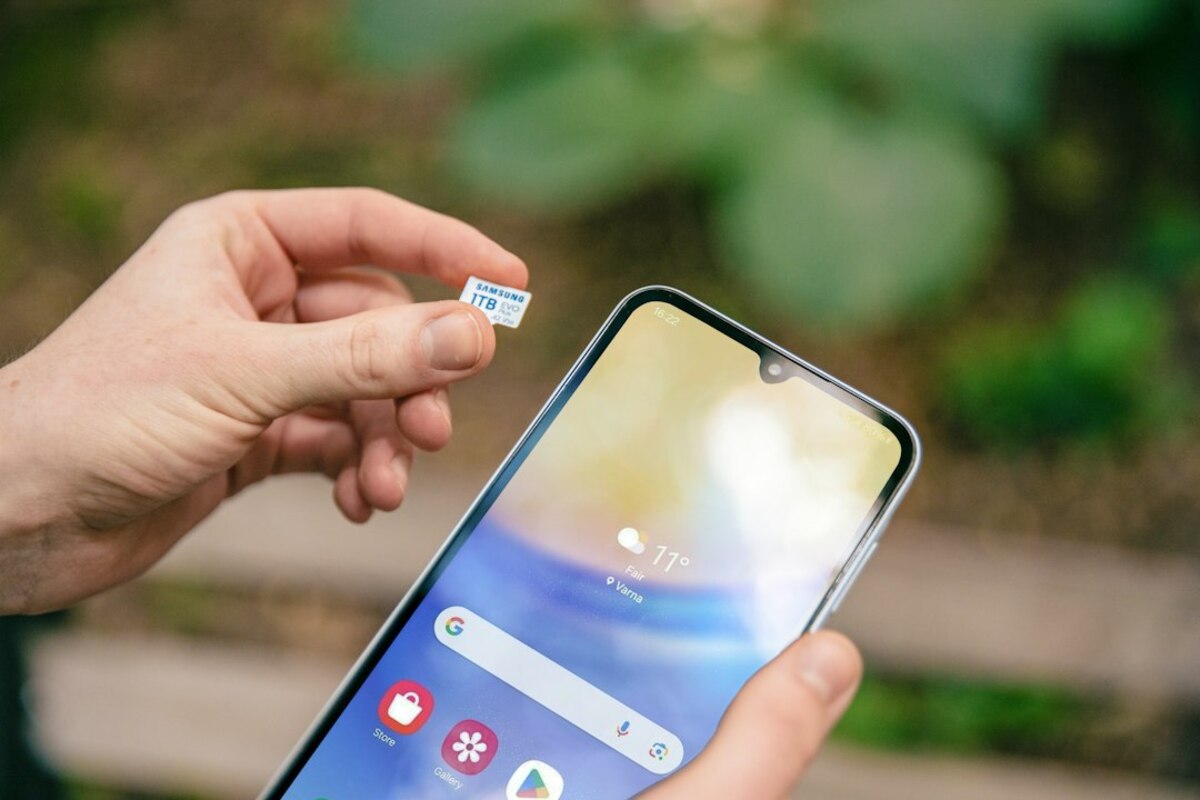
- eSIM is built into your phone, so switching carriers can be faster—but setup depends on your provider’s system
- Physical SIMs are easy to swap between devices, which can be handy for troubleshooting or temporary phones
- For travel and dual numbers, eSIM can feel like downloading a plan—while physical SIMs still win for quick device hopping
Think of a SIM as your phone’s “membership badge”
A SIM (Subscriber Identity Module) is what tells a mobile network who you are. It’s the little “badge” that links your phone to your number and your carrier account. Without it (or without an equivalent), your phone can still use Wi‑Fi, but it can’t reliably place calls, send texts, or use cellular data on a carrier network.
For years, that badge was a small removable card: you could pop it out with a pin, move it to a new phone, and your number would follow. Now there’s a newer option: eSIM, which is a digital SIM stored inside your phone’s hardware. You still have a carrier plan and a phone number; what changes is how the phone gets “authorized” on the network.
If you want a simple analogy: a physical SIM is like a plastic keycard you can hand to another person (or another phone). An eSIM is like a key that’s installed in the building’s access system—more convenient day-to-day, but you can’t just pass the plastic card around.

Real-life scenarios where the difference actually matters
Most people don’t choose SIM types for fun. They notice the difference when something happens: a new phone, a trip, a lost device, a need for a second number, or a carrier switch. Here are situations where eSIM vs physical SIM stops being a spec-sheet detail and starts affecting your day.
Scenario 1: You buy a new phone on a busy weekday.
With a physical SIM, the “move” can be as simple as: open tray → move SIM → done. With an eSIM, you’ll typically do an activation step—often scanning a QR code from your carrier or tapping a “Transfer eSIM” prompt during setup. If your carrier’s system is smooth, it can be faster than hunting for a SIM eject tool. If the carrier’s system is clunky (or you don’t have good Wi‑Fi during setup), it can feel like an extra hurdle.
Scenario 2: You travel and want cheaper data.
With a physical SIM, you might buy a local SIM at the airport, swap it in, and store your home SIM somewhere safe (and easy to lose). With an eSIM, you can often purchase a travel data plan online, then add it to your phone like downloading a new profile. This is especially appealing when you land late, the kiosks are closed, or you just don’t want to fiddle with tiny trays.
Scenario 3: Your phone breaks and you need a backup device for two days.
Physical SIMs shine here: move the SIM into an old phone and you’re reachable in minutes. With eSIM, the process depends on whether you can still access the broken phone to remove/transfer the eSIM, and on your carrier’s ability to re-issue the eSIM quickly. Some carriers make it painless; others might require a support chat, identity checks, or an in-store visit.
Scenario 4: You want a work number and a personal number.
Dual SIM used to mean “two physical SIM trays” (rare) or one SIM plus another workaround. Many modern phones support dual SIM via eSIM + physical SIM or even eSIM + eSIM. This can be an everyday win: one phone, two numbers, separate plans, and you can label lines like “Work” and “Personal.”
Scenario 5: You like swapping SIMs between devices.
Some people have a “weekend phone,” a rugged phone for hiking, or a secondary device for travel. If you regularly hop between devices, a physical SIM is like a transferable token. eSIM can still work, but it’s less “pop-and-go” and more “re-provision and verify,” depending on the carrier.
| Everyday need | Physical SIM tends to feel easier | eSIM tends to feel easier |
|---|---|---|
| Quickly move your number to another phone | Yes—swap the card | Sometimes—depends on carrier transfer tools |
| Add a second number/plan | Only if you have an extra slot | Often—add another eSIM profile |
| Travel data without visiting a store | Possible but involves swapping cards | Often—buy/activate digitally |
| Recover service after losing your phone | If you still have the SIM card, it helps | Requires carrier re-issue; can be fast or slow |
| Use with older devices | More universal | Only on eSIM-capable devices |
Notice what’s missing from the table: “signal strength.” People often ask whether eSIM gives better reception. In everyday use, signal quality is mainly about your phone’s modem/antenna and your carrier coverage, not whether the SIM is digital or plastic. The SIM is the ID card, not the radio tower.
What you’re really choosing: convenience styles (and a few trade-offs)
Choosing eSIM vs physical SIM isn’t like choosing between two camera lenses. It’s more like choosing between two ways of handling keys. Both can get you inside the building; the difference shows up when plans change.
1) Setup and switching: “download” vs “swap”
With a physical SIM, your plan lives on a removable card. Switching phones can be wonderfully low-tech: just swap. With eSIM, your plan is stored as a digital profile on the phone. Switching usually means transferring that profile—either during phone setup or through a carrier app/website.
If you enjoy self-serve tech that works smoothly, eSIM can feel modern and efficient. If you prefer simple physical control (“I can see it, I can move it”), physical SIM can feel more dependable—especially in a moment of stress, like a broken phone or a rushed airport connection.
2) Travel and multiple plans: eSIM’s big moment
One reason eSIM is currently a hot topic is travel. More people are mixing plans: keeping their home number active for calls/texts while using a cheaper data plan for maps, ride-hailing, and messaging. eSIM makes that blend easier because you can store multiple eSIM profiles on one device (how many varies by phone). You can often switch which line uses data with a couple taps.
It feels a bit like having multiple “playlists” saved on your phone. You can keep them ready and switch when needed, rather than buying a new plastic “disc” each time.
3) Device compatibility and flexibility
Physical SIM works in a huge range of devices—older phones, basic phones, some tablets, mobile hotspots, and even certain IoT gadgets. eSIM is increasingly common, but not universal. If you use non-mainstream devices (a spare feature phone, an older handset, a portable LTE router), a physical SIM may still be the easiest path.
Also, physical SIM can be useful for quick diagnostics. If your phone suddenly loses service, you can test the SIM in another phone to see if the issue is your device or the SIM/network. eSIM diagnostics are still possible, but they’re less “instant swap” and more “settings and support steps.”
4) Security: less “stealable card,” but account security still matters
People worry about SIM swapping (when someone fraudulently moves your number to their device). eSIM can reduce some risks tied to physically stealing your SIM card, because there’s no tiny chip to snatch from a table. But many SIM-swap attacks happen through carrier account access, social engineering, or weak account security—not through stealing the physical SIM itself.
In other words: eSIM can remove one physical vulnerability, but it doesn’t replace good habits. Strong carrier account passwords, PINs, and multi-factor authentication still matter.
5) Carrier support quality becomes more important with eSIM
With physical SIM, a lot of control is literally in your hands. With eSIM, you rely more on your carrier’s digital tools to issue, transfer, and re-issue profiles. If your carrier has a polished app and instant activation, eSIM feels effortless. If not, you may find yourself waiting for QR codes, support approvals, or store visits.
- Physical SIM feels best if you often swap devices, use older gadgets, or want the simplest emergency backup plan.
- eSIM feels best if you travel, want dual numbers, like managing plans digitally, or want fewer tiny parts to lose.
- A mix is common: many people keep one physical SIM for their main number and add an eSIM for travel or a second line.
Often, no. Many carriers price the plan the same regardless of SIM type. Costs usually come from the plan itself, activation fees (if any), or travel eSIM data packages you buy separately.
Often, no. Many carriers price the plan the same regardless of SIM type. Costs usually come from the plan itself, activation fees (if any), or travel eSIM data packages you buy separately.
Usually, yes. You’re not changing your number—you’re changing how it’s provisioned to your phone. The exact steps depend on your carrier, but most support converting from physical SIM to eSIM.
Usually, yes. You’re not changing your number—you’re changing how it’s provisioned to your phone. The exact steps depend on your carrier, but most support converting from physical SIM to eSIM.
With a physical SIM, you just put the card back in. With eSIM, resets can remove eSIM profiles depending on which reset option you choose. Many phones let you decide whether to keep or delete eSIM data during reset—worth checking before you tap “erase.”
With a physical SIM, you just put the card back in. With eSIM, resets can remove eSIM profiles depending on which reset option you choose. Many phones let you decide whether to keep or delete eSIM data during reset—worth checking before you tap “erase.”
One last everyday way to think about it: a physical SIM is like carrying your house key on a keyring—easy to hand off, easy to move. An eSIM is like using a smart lock that can issue or revoke digital keys. The smart lock can be incredibly convenient, especially when you’re adding “guest access” (travel plans, second numbers), but you’ll care more about the quality of the system behind it (your carrier’s tools) when something goes wrong.