AirTag vs Tile vs Samsung SmartTag: Which Tracker Actually Helps You Find Your Stuff?
Lost keys, missing luggage, wandering backpacks—trackers promise peace of mind. Here’s how AirTag, Tile, and SmartTag differ in real daily use.
- AirTag usually wins in busy areas thanks to Apple’s huge “Find My” network, but it’s iPhone-centric
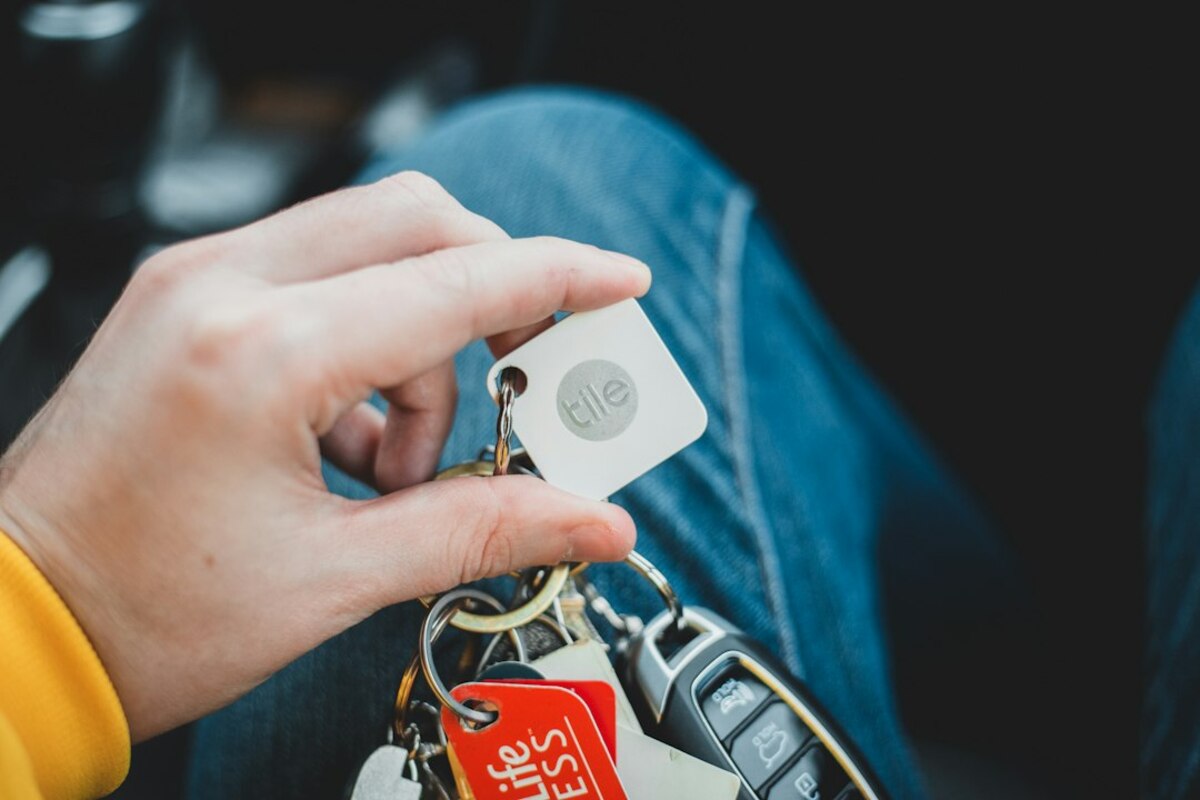
- Tile works across iPhone and Android, yet its finding power depends more on how many Tile users are nearby
- SmartTag is strong for Samsung phone owners and adds useful automations, but it’s not ideal outside the Galaxy ecosystem
What a Bluetooth tracker really is (and what it isn’t)
A Bluetooth tracker is a small tag you attach to something you don’t want to lose—keys, wallet, luggage, camera bag, a bike seat, even a TV remote. People often imagine it works like a tiny GPS device that shows an exact dot on a map anywhere on Earth.
Most trackers don’t work like that. They’re more like a “lost-and-found helper” that uses nearby phones as helpers. The tag itself usually talks over Bluetooth (short range). If your phone is close enough, you can make the tag beep and you can see an approximate distance. If you’re not close, the tag’s location gets updated when another compatible phone passes near it and quietly reports its position to the network.
Think of it like this: your tracker is a tiny “I’m here” note. The more people walking around with the right kind of phone, the more likely someone will pick up that note and pass it along to you.
That’s why the biggest difference between AirTag, Tile, and Samsung SmartTag isn’t the plastic or the shape—it’s the network behind them.
- Close-range finding: Your phone talks directly to the tag over Bluetooth. Great for “It’s somewhere in the apartment.”
- Network finding: Other people’s devices help locate your tag when you’re far away. Great for “My luggage didn’t make it to baggage claim.”
- Precision finding (when available): Uses extra tech (like UWB) to guide you with arrows/distance for “It’s under that couch cushion.”
Before comparing brands, picture three common scenarios:
Scenario A: The couch eat-your-keys moment. You’re late, you swear you put your keys on the table, and now they’re gone. You need a loud beep and direction guidance.
Scenario B: The commute slip. Your bag is missing after a train ride. It might be two stops back, still on a seat, or picked up by someone else.
Scenario C: The airport lottery. Your suitcase is not on the carousel. You want to know whether it’s still at your departure airport, stuck in a different terminal, or already at your destination city—without calling five different desks.

AirTag vs Tile vs SmartTag: the real-world differences that matter
All three can help you find lost items, but they shine in different ways depending on the phone you use and where you typically lose things.
| What you care about | Apple AirTag | Tile (Pro/Mate/Slim/Sticker) | Samsung Galaxy SmartTag / SmartTag2 |
|---|---|---|---|
| Best if you use… | iPhone | iPhone or Android | Samsung Galaxy phones (best experience) |
| “Far away” finding depends on… | Apple’s Find My network (many iPhones out there) | Tile app user base nearby (varies by place) | Samsung SmartThings Find network (Galaxy users nearby) |
| Close-range guidance | Very strong, includes Precision Finding on newer iPhones | Good Bluetooth proximity; some models are loud | Strong on supported Galaxy phones; some models support precise guidance |
| Battery approach | Replaceable coin cell (commonly ~1 year) | Some replaceable, some sealed (model-dependent) | Often replaceable; newer models may offer longer life (model-dependent) |
| Extra features | Tight iOS integration; anti-stalking alerts; Lost Mode | Cross-platform; different shapes (card/sticker); some alerts behind subscription | Smart home button actions; Galaxy ecosystem integration |
The table is the “map,” but daily life is the “terrain.” Here are the differences you actually feel.
1) The network effect: how likely is it that someone will “walk past” your lost item?
For finding things outside your Bluetooth range, the size and density of the brand’s network is everything. If your item is lost in a crowded city, a train station, or an airport, it has a higher chance of being detected by other people’s devices.
AirTag: AirTag benefits from Apple’s Find My network—lots of iPhones moving around, often with the feature enabled. In many regions, this means AirTag has a practical advantage for “lost outside” situations like luggage or bags.
Tile: Tile works well, but the network relies more on the presence of other Tile users. If you’re in an area where many people use Tile (or in circles where Tile is common), it can feel great. In other areas, it may feel quieter—like shouting into a smaller crowd.
SmartTag: Samsung’s network strength depends on how many Galaxy users are nearby with SmartThings Find participation. In places where Samsung phones are common, SmartTag can be very effective. In areas where Samsung share is lower, you may see fewer updates.
2) “Find it in my home” experience: beeps, arrows, and the panic timer
Most lost-item moments are small and stressful: you’re late, your hands are full, and you need answers fast. This is where the app experience and close-range finding matters.
- AirTag is famous for a smooth “walk toward it” experience when you have a compatible iPhone, often guiding you with direction and distance. It’s like turning a frustrating scavenger hunt into a simple game of “warmer, warmer, there.”
- Tile is straightforward: ring the tag, follow the sound, check the last known location. Many people love Tile’s variety of form factors (especially slim wallet-style models), because a tracker you can actually carry is one you’ll benefit from.
- SmartTag tends to feel best if you’re already in Samsung’s ecosystem. Many users also like the physical button that can trigger actions (for example, a smart-home routine) so it’s not only a “lost item” device.
3) Shape matters more than you think
In real life, “Will I attach this to the thing?” is more important than most spec lists. If the tracker is annoying to attach, too thick for your wallet, or looks odd on your keys, it ends up in a drawer.
Tile has historically leaned hard into different shapes (including wallet-like slim trackers and sticker-style ones). AirTag is compact but often needs an accessory (like a keyring holder) to attach easily. SmartTag is generally keyring-friendly, but may have fewer shape choices depending on region and model availability.
4) Subscription pressure and “hidden” features
This is a quiet but important difference: some ecosystems keep more features available without a subscription, while others may place certain alerts or history behind a paid plan.
When comparing, look for items like:
- Location history (seeing where the tag has been)
- Smarter notifications (for example, “Tell me if I leave my wallet behind”)
- Extended warranty or premium support
If you’re buying multiple trackers for a family, recurring costs can matter more than saving a few dollars per tag.
5) Privacy and anti-stalking protections
Trackers are useful, but they can also be misused. That’s why modern trackers include anti-stalking measures such as alerts when an unknown tracker is traveling with you. The day-to-day impact is that you might occasionally see a notification like “An unknown tracker is moving with you,” especially in busy environments.
When choosing a tracker, it’s worth checking:
- How quickly unknown-tracker alerts appear
- How easy it is to identify and disable a tracker found near you
- Whether your phone platform (iPhone/Android) gets full protection features
How to choose in 5 minutes (based on how people actually lose things)
If you’re standing in a store aisle (or scrolling online) and want the simplest decision path, use these practical “what do you want to stop happening?” questions.
1) “I lose things in public places—airports, festivals, transit.”
Prioritize the biggest network in the places you go. If you’re an iPhone user, AirTag often feels like the safest bet for frequent travel and crowded environments. If you’re a Samsung Galaxy user in a region where Galaxy phones are everywhere, SmartTag becomes a strong contender.
2) “I mostly lose stuff at home (keys, remote, bag in the closet).”
Any of the three can work well. Here, volume (how loud the tag is), ease of attaching, and app simplicity matter more than network size. If the tracker is annoying to mount to your keychain or too bulky for your daily carry, it won’t help you.
3) “I need something for a wallet.”
Wallets are picky: thickness matters. A slim, wallet-shaped tracker may be more realistic than a round tag that makes your wallet bulge. Tile’s Slim-style approach is often popular for this reason. If you prefer AirTag or SmartTag, you may need a third-party wallet designed to hold it.
4) “I want my family to use it across different phones.”
If your household is mixed (some iPhones, some Android), cross-platform support becomes a daily advantage. Tile is often the easiest neutral option, because everyone can install the app and participate similarly. AirTag leans heavily toward iPhone ownership; SmartTag leans heavily toward Samsung phones.
5) “I want an extra button for quick actions.”
Some SmartTag models support programmable button actions that can trigger routines (like turning on lights or setting a scene). If you love the idea of pressing your keychain to do something useful—not just locate it—SmartTag can feel like a two-in-one gadget.
For close-range finding (Bluetooth beep), your phone doesn’t always need internet at that moment. But for seeing the tag on a map far away and getting network updates, you generally need internet access on your phone, and the network relies on other devices reporting locations.
For close-range finding (Bluetooth beep), your phone doesn’t always need internet at that moment. But for seeing the tag on a map far away and getting network updates, you generally need internet access on your phone, and the network relies on other devices reporting locations.
They can help in certain situations (like a dog slipping out and staying within a neighborhood), but they aren’t true real-time GPS pet trackers. If you need constant live tracking over long distances, a dedicated GPS/cellular pet tracker is usually the better tool.
They can help in certain situations (like a dog slipping out and staying within a neighborhood), but they aren’t true real-time GPS pet trackers. If you need constant live tracking over long distances, a dedicated GPS/cellular pet tracker is usually the better tool.
It’s usually one of these: (1) realizing they need an accessory to attach it, (2) learning that cross-platform sharing in a household is limited, or (3) expecting GPS-style live tracking when the device is mainly Bluetooth + crowdsourced location updates.
It’s usually one of these: (1) realizing they need an accessory to attach it, (2) learning that cross-platform sharing in a household is limited, or (3) expecting GPS-style live tracking when the device is mainly Bluetooth + crowdsourced location updates.
If you want a quick mental shortcut, imagine you’re choosing a flashlight for different places:
- AirTag is like a flashlight in a stadium—tons of people around, and help is everywhere if you drop it.
- Tile is like a flashlight that works with more types of batteries—flexible and widely compatible, but the “crowd help” depends on who else brought the same brand.
- SmartTag is like a flashlight that clicks perfectly into a specific tool set—excellent if you already own that set, less compelling if you don’t.
Choosing the “best” tracker isn’t about specs in isolation. It’s about matching the tracker to your phone, your routines, and the places you tend to lose things—so that when you have that sudden pocket-pat moment, you don’t just get a notification. You get your day back.